Podcast Production: A Beginner's Guide to Recording and Editing
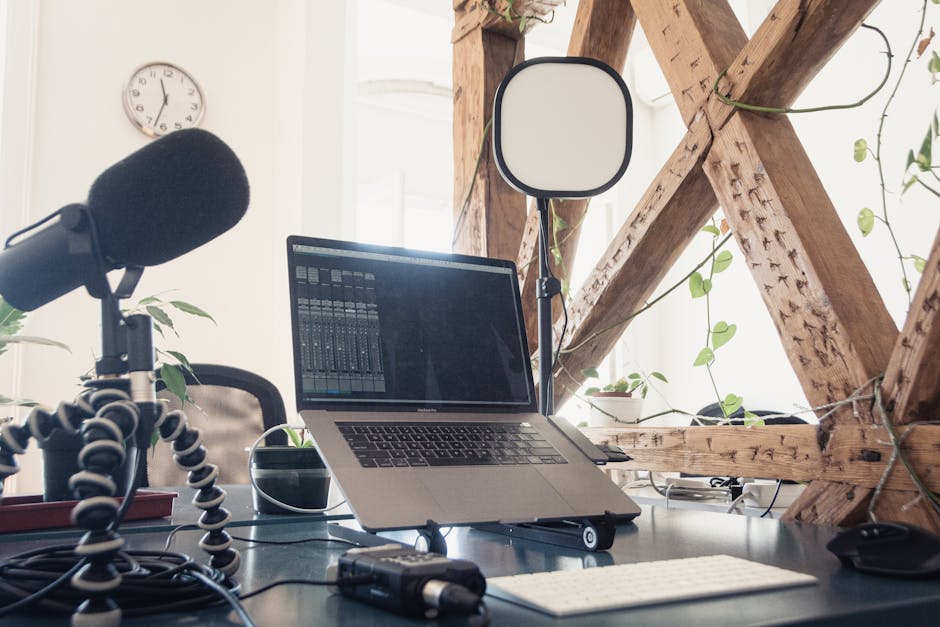
Podcasting has become increasingly popular in the UK, and starting one is more accessible than ever. Whether you're creating a solo show or interviewing guests, understanding the production process ensures your content sounds professional. Here's your complete beginner's guide.
Planning Your Show
Before recording, clarify your concept. What's your show about? How long will episodes be? How often will you publish? Will you have guests? A clear plan prevents rambling recordings and helps you build an audience.
Create a simple rundown for each episode. This doesn't need to be a full script, but bullet points keep you on track and ensure consistent episode length and structure.
Recording Setup
You need a microphone, headphones, and recording software. USB microphones like the Audio-Technica AT2020USB+ (around £150) are popular for podcasting. They sound professional without requiring complicated equipment.
Use a pop filter to reduce plosives. Record in your quietest room. Even a small bedroom closet with soft furnishings works well—clothes absorb sound and reduce echo.
Recording Software
Audacity is free, straightforward, and perfect for beginners. Reaper offers more features at around £60 (unlimited trial). Both handle multitrack recording if you're interviewing guests remotely.
For remote interviews, use Zencastr or SquadCast. These record each participant's audio separately on their own computer, resulting in much better quality than Zoom or Skype recordings.
Recording Best Practices
Do a sound check before recording. Test your microphone level and listen for background noise. Record at -6dB to -3dB on your meters to prevent clipping.
Speak clearly and at a consistent distance from the microphone. Avoid rustling papers or touching the microphone during recording. If you make a mistake, pause for a few seconds then redo that section—you can edit it out later.
Editing Your Episode
Edit for clarity, not perfection. Remove long pauses, "ums" and "ahs," and technical glitches. Don't over-edit—natural speech patterns make podcasts engaging.
Add intro and outro music. Royalty-free music sites like Epidemic Sound or Artlist provide podcast-appropriate tracks. Keep music levels lower than your voice so listeners hear you clearly.
Audio Quality Standards
Normalise your audio to -3dB. Apply gentle compression to even out volume levels. A high-pass filter removes rumbling low frequencies. These simple processing steps make amateur recordings sound more professional.
Publishing Your Podcast
Upload episodes to a podcast host like Anchor (free), Buzzsprout, or Podbean. These distribute your show to Spotify, Apple Podcasts, and other platforms automatically. You'll need episode artwork (3000x3000 pixels) and show description.
Consistency is Key
Publish on a regular schedule. Listeners subscribe when they know when to expect new episodes. Even fortnightly episodes build an audience faster than irregular uploads.
Podcasting rewards persistence. Your first episodes won't be perfect, and that's fine. They'll improve as you develop your voice and refine your process. Start now, learn as you go.